Transferring Domain Ownership
You can transfer domains to other organizations in Swagger Studio. This operation cannot be reversed unless the new owner has goodwill to return the ownership to the former owner.
Permissions required to transfer ownership
Users with the following permissions can transfer domains:
Transfer direction | Permissions required |
|---|---|
From an organization | Organization owner |
To an organization | Organization owner |
Transfer ownership
To transfer a domain to an organization, do the following:
Open the domain in the Swagger Studio editor.
Click the domain name. This opens the domain info panel.
Click
 Manage Owner & Project in the domain info panel.
Select the organization that you want to transfer the domain to.
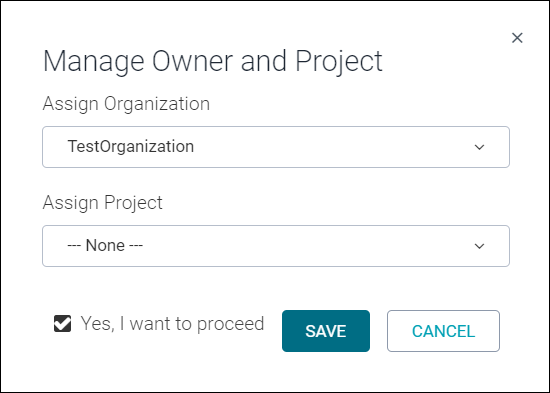
(Optional.) Select a project to add this domain to. The list contains existing projects that you are member of.
Tip
You can link a domain to multiple projects. However, to make the best use of Swagger Studio features, we recommend assigning each API to a single project.
Select the Yes, I want to proceed check box.
Click Save.